Game on Space Text Effect: Editable Typography for Impactful Design
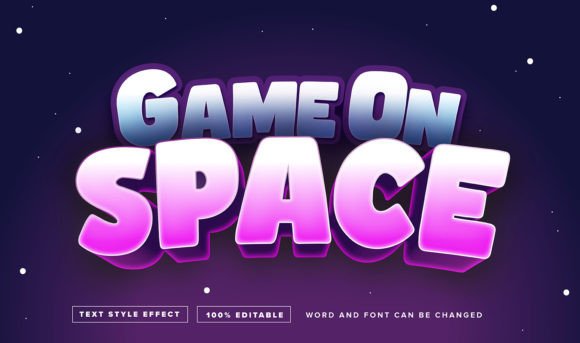
Capturing the energy of retro gaming and cosmic exploration, the Game on Space Text Effect Editable offers a dynamic visual language that immediately commands attention. This isn't just a static image; it is a sophisticated Adobe Illustrator asset designed to bridge the gap between nostalgic pixel art and modern vector precision. For designers and creators who need typography that feels alive and dimensional, this asset provides a practical solution for transforming standard headlines into immersive visual statements. It is specifically built for professionals who require high-resolution output without sacrificing the ability to customize every curve and shadow.
Understanding the Asset: Vector Flexibility Over Static Pixels
It is important to clarify what this asset represents to avoid confusion during the design process. This is not a traditional font file that you install into your operating system’s font folder. Instead, the Game on Space Text Effect Editable functions as a comprehensive text effect system provided in an Adobe Illustrator EPS file format. This distinction is actually a significant advantage for creative work. Traditional fonts often limit how much you can alter the internal structure of the letterforms without complex outlining and rebuilding. In contrast, this effect is 100% editable, meaning the styling, gradients, and structural integrity of the text are fully manipulable vectors.
The workflow is designed for efficiency. You simply click on the text effect section within the Illustrator file, highlight the existing content, and type your desired message. The effect automatically applies to your new text, saving hours of manual layering and shading work. Because it is vector-based, you can scale the typography from a small business card to a massive billboard without any loss of quality or pixelation. This makes it an ideal choice for high-resolution print materials and crisp digital displays alike.
Visual Characteristics: The "Game on Space" Aesthetic
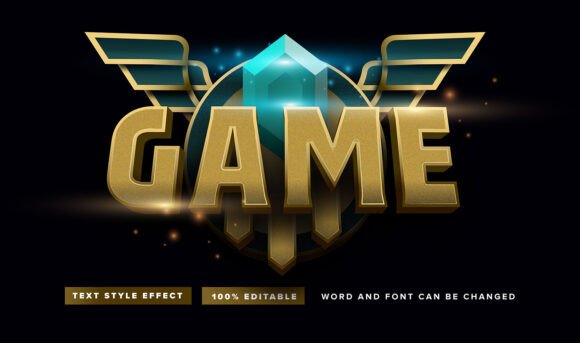
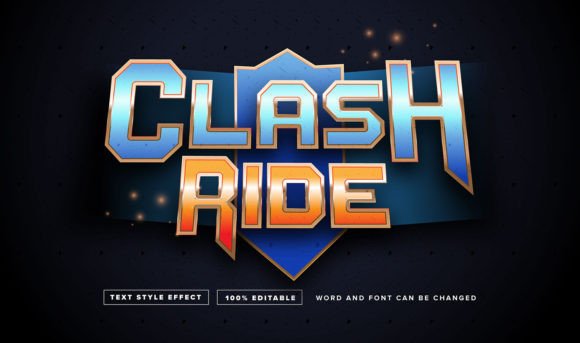
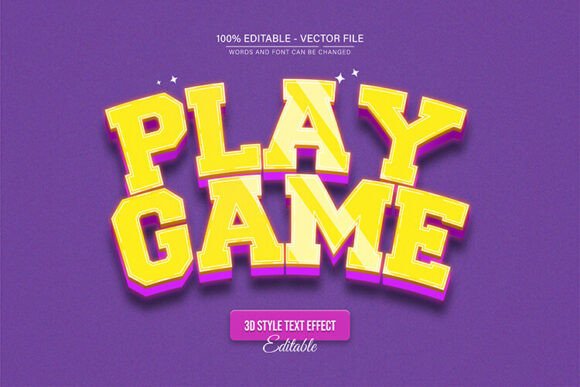
The visual personality of this effect is rooted in a blend of futuristic sci-fi typography and arcade nostalgia. It typically utilizes bold, blocky letterforms that suggest strength and stability, combined with dimensional shading that mimics lighting effects found in space-themed video games. The "space" aspect of the design often implies deep contrasts, neon glows, or metallic textures that pop against dark backgrounds.
For brand strategists and designers, this aesthetic serves a specific purpose: it communicates excitement, technology, and entertainment. It fits perfectly into the category of display fonts and effects used for headlines where readability at a distance is paramount, but standard sans serif fonts feel too corporate or bland. The visual weight of the Game on Space Text Effect Editable ensures that your message cuts through visual noise, making it a powerful tool for marketing assets where you have only a split second to grab the viewer's interest.
Practical Applications Across Industries
The versatility of this text effect allows it to be applied across a wide spectrum of creative projects. It is not limited to just game design; its modern typography appeal makes it suitable for various commercial and personal endeavors.
- Branding and Logo Design: For brands in the tech, entertainment, or e-sports sectors, this effect can serve as the foundation for a logotype. It helps establish a brand identity that is instantly recognizable and conveys a sense of innovation.
- Packaging Design: Product packaging for snacks, beverages, or tech gadgets often relies on bold typography to stand out on shelves. The 3D nature of this effect adds a tactile quality to 2D packaging graphics.
- Social Media Graphics and Web Design: In the fast-scrolling environment of Instagram or TikTok, static text often fails to engage. Using a textured, high-impact text effect for headers on landing pages or YouTube thumbnails can significantly increase click-through rates.
- Merchandise and Apparel: T-shirts, hoodies, and posters benefit greatly from complex text effects. The vector format ensures that screen printers and DTG (Direct to Garment) printers receive clean, high-resolution artwork.
- Invitations and Events: For themed parties, gaming tournaments, or sci-fi conventions, this effect provides the perfect atmosphere for invitations and event signage.
Enhancing Brand Recognition and Audience Engagement
Typography is a silent ambassador for your brand. When you choose a premium font or text effect like this one, you are making a deliberate choice about how your audience perceives your content. Consistency in visual language builds trust. By using the Game on Space Text Effect Editable across your digital products and print materials, you create a cohesive look that audiences begin to associate with your specific style of content.
Furthermore, this specific style of modern typography taps into the current trend of "retro-futurism." It appeals to a demographic that appreciates both the nostalgia of 8-bit graphics and the sleekness of contemporary design. This emotional connection can lead to higher audience engagement. When a viewer sees a headline that looks polished and professionally styled, they are more likely to perceive the underlying content—whether it is a blog post, a product, or a service—as high-value.
Design Best Practices: Pairing and Readability
While the Game on Space Text Effect Editable is visually striking, it must be used with care to maintain readability and design balance. Here are some practical tips for integrating this effect into your workflow:
- Font Pairing Strategy: Because this text effect is bold and complex, it should rarely be paired with another ornate or script font. Instead, balance it with a clean, minimalist sans serif font for body copy. Fonts like Helvetica, Roboto, or Open Sans work well to provide a visual "rest" for the eyes, allowing the headline effect to shine without competing for attention.
- Context and Hierarchy: Use this effect strictly for headlines, sub-headers, or logos. It is not designed for long-form paragraphs, as the intricate details of the effect can become fatiguing to read in large blocks of text. Establish a clear hierarchy where the effect denotes importance.
- Color Contrast: To maximize the "space" aesthetic, consider using this effect on dark backgrounds (deep navy, black, or dark purple). The highlights and shadows within the vector effect will pop significantly more against a moody backdrop than against a stark white background.
- Reviewing Included Styles: If the asset package comes with variations (e.g., different lighting angles or shadow depths), test them all. A "flat" version might work better for web design where file sizes need to be optimized, while a "deep shadow" version might be better for poster printing.
Licensing and Commercial Use
For entrepreneurs and small business owners, understanding the licensing of design assets is crucial. When acquiring the Game on Space Text Effect Editable, it is essential to review the specific commercial licensing terms provided by the marketplace or creator. Generally, assets like these allow for use in end-products for sale (like t-shirts or posters) but may have restrictions on reselling the raw digital file itself. Always verify that your intended use—whether for a client project or your own merchandise—falls within the legal parameters of the license to protect your business and intellectual property.
Ultimately, this text effect is more than just a stylistic choice; it is a functional design asset that saves time while elevating the professional quality of your visual communication. By leveraging its editable nature and bold aesthetic, you can create compelling visuals that resonate with a modern audience.