Gamer 20: A Modern Animated Video Invitation for Epic Birthdays
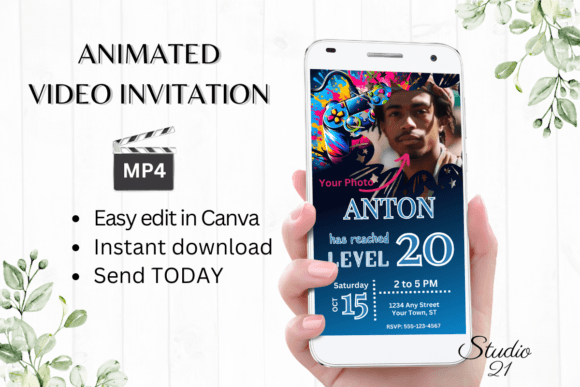
Planning a milestone birthday for a gamer? Ditch the paper cards and embrace the digital age with a celebration invitation that speaks their language. The Gamer 20 video game birthday invite template is a dynamic, animated digital evite designed for instant impact. It’s built for anyone who wants to send a professional-looking, personalized party announcement without the hassle of hiring a designer or wrestling with complex software. This isn't just an invitation; it's a shareable piece of digital content that sets the tone for an unforgettable event.
Visual Appeal That Captures the Gaming Spirit
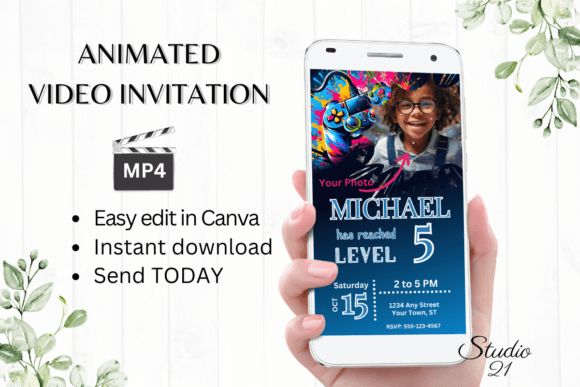
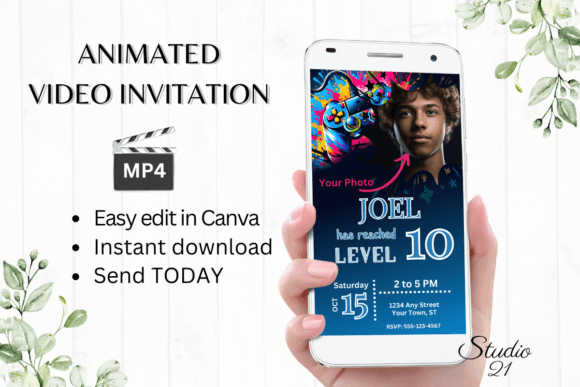
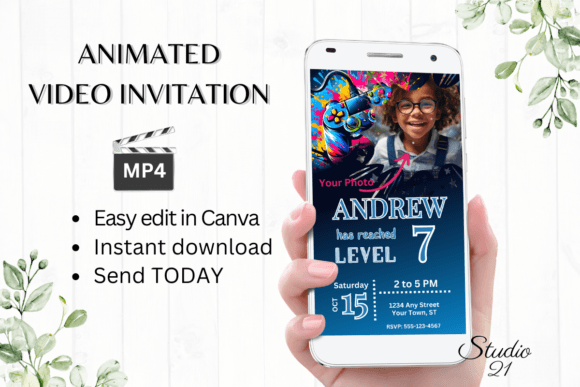
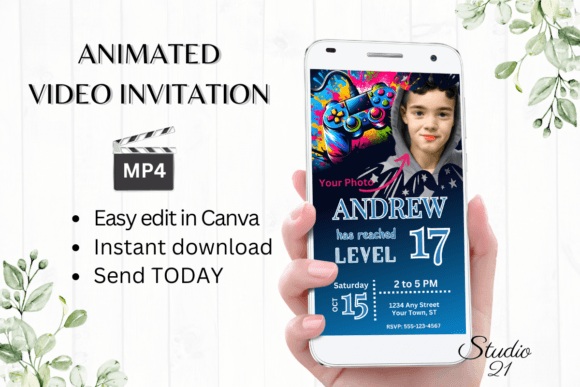
What makes this template stand out is its authentic gaming aesthetic. Think vibrant neon glows, clean digital lines, and an energetic animation that mimics the feel of a game lobby or character select screen. The visual style is modern and sleek, appealing to a generation raised on high-definition graphics and polished UI. It avoids cheesy, overdone tropes and instead offers a sophisticated take on gaming culture. The design is clean, ensuring your personalized details remain the focal point, while the subtle animations—like pulsing text or glowing accents—add a layer of excitement that a static image simply can't match. This premium font-inspired approach to layout makes it feel like a polished piece of digital art, not just a basic invite.
Instant Customization: Your Design, Your Rules
The core value here is empowerment through simplicity. Once you download the PDF, you get immediate access to the template in Canva—a free, browser-based design tool. This means no software downloads, no font installations, and no waiting for a designer to send proofs. You become the creative director.
- Full Text Control: Personalize every word. Change the birthday person's name, party details, RSVP info, and any other text to match your event's specifics.
- Font Flexibility: Not feeling the default font? Change the font style, color, and size directly within Canva. Apply text effects to make key details pop. This is where you can really experiment with modern typography to match your vision.
- Animation Adjustments: While the template comes with a pre-set animation, you have the power to change it. Speed it up, slow it down, or alter the effect to better fit the mood you're going for.
- Final Product: When you're satisfied, download your creation as a high-quality MP4 video file. This format is perfect for sharing digitally and ensures your invitation looks sharp on any device.
Beyond the Party: Practical Applications for Creators and Businesses
While designed as a video game birthday invite, the template's flexible structure and engaging format have broader applications for anyone in content creation, marketing, or small business branding. Its strength lies in its ability to communicate information dynamically.
Consider using this format for:
- Brand Launches or Product Drops: Tease a new product with a short, animated video announcement that can be shared via text and social media stories.
- Social Media Graphics: Create eye-catching, animated posts for Instagram Reels, TikTok, or YouTube Shorts to announce a sale, event, or new content.
- Digital Event Invitations: Beyond birthdays, use it for webinar invites, live stream notifications, or virtual meetup announcements to a tech-savvy audience.
- Internal Communications: Send an engaging, animated memo to your team for a company event or milestone, breaking the monotony of standard emails.
The principle is simple: animation captures attention in a way static content often fails to. This template provides a professional framework to leverage that without needing to be a motion graphics expert.
Sharing Made Simple: From Edit to Inbox in Minutes
The workflow is designed for maximum efficiency. After editing in Canva, you have two primary, user-friendly sharing options:
- Download the MP4: This gives you a video file you own and can upload anywhere. Send it directly via text message, iMessage, WhatsApp, Facebook Messenger, or any other messaging app. It's the most versatile option.
- Share a Canva Link: Canva allows you to generate a view-only link. You can paste this link into an email, and the recipient can view the animated invitation directly in their browser. This is excellent for email campaigns or when file size is a concern.
Detailed instructions included with the download walk you through both processes, ensuring a smooth experience even if you're new to Canva.
Key Considerations for a Flawless Final Product
A few practical tips will help you get the most out of this digital asset:
- Color Variance: Remember that colors can appear differently on various screens (phones, tablets, laptops). Test your final MP4 on a couple of devices before mass-sending to ensure the neon accents and text contrast look as intended.
- Readability is Key: When personalizing text, prioritize clarity. While fancy fonts are fun, ensure the core details—who, what, when, where—are in a clean, readable typeface. Balance style with function.
- Licensing: This is a digital template for personal use. If you're a business considering using the animation style for commercial marketing assets, it's crucial to review the licensing terms provided with the download to ensure compliance.
Ultimately, this gamer-themed video invitation template is a practical tool that blends compelling visual design with user-friendly technology. It solves a specific problem—creating a cool, personalized party invite—while also offering a gateway into more dynamic digital communication for creative projects and brand promotions. It puts professional-grade animation and design control directly in your hands, letting you craft something memorable in the time it takes to brew a cup of coffee.